
Send Booking Emails from Your Own Domain: How to Set Up Resend or SMTP in Hacado
Hacado Team|September 14, 2026|8 min read|No comments
When a client books an appointment through your Hacado page, they receive a confirmation email. When their appointment is coming up, they get a reminder. When they cancel, a notification lands in their inbox.
By default, those emails come from Hacado's own mail system. They are reliable, they work out of the box, and they carry your business name in the subject line. But the sender address says Hacado, not you.
For many businesses, that is perfectly fine. For businesses that have invested in a custom domain and want every client touchpoint to feel consistent, it is a loose end worth tying up.
Hacado now supports connecting your own email sending service, either through Resend or via any standard SMTP provider. Once connected, your booking confirmations, reminders, and client notifications go out from an address like booking@yoursalon.com rather than from a generic platform address.
This guide covers what the feature does, how Resend and SMTP each work, and how to get set up in a few minutes.
Why Branded Sending Matters
A confirmation email that arrives from booking@yoursalon.com lands differently than one from a platform address. It reinforces that the client has a relationship with your business specifically, not with a booking platform. It looks professional in a way that is easy to overlook until you see the comparison side by side.
There is also a practical deliverability dimension. Emails sent from a domain your clients recognize are less likely to be filtered to spam. A client who has emailed hello@yoursalon.com before is far more likely to see booking@yoursalon.com land in their primary inbox.
A small but meaningful detail. The kind of thing that separates a polished business from one that is just getting by.
Two Ways to Connect: Resend and SMTP
Hacado supports two methods for connecting a custom email sender. They both accomplish the same thing (your emails go out from your domain) but they work differently and suit different types of businesses.
Option 1: Resend
Resend is a modern email sending platform built for reliability and simplicity. It handles all of the technical infrastructure of email delivery, reputation, and deliverability behind the scenes, so you just connect it and your emails go out.
Resend Pricing: Free for Most Small Salons
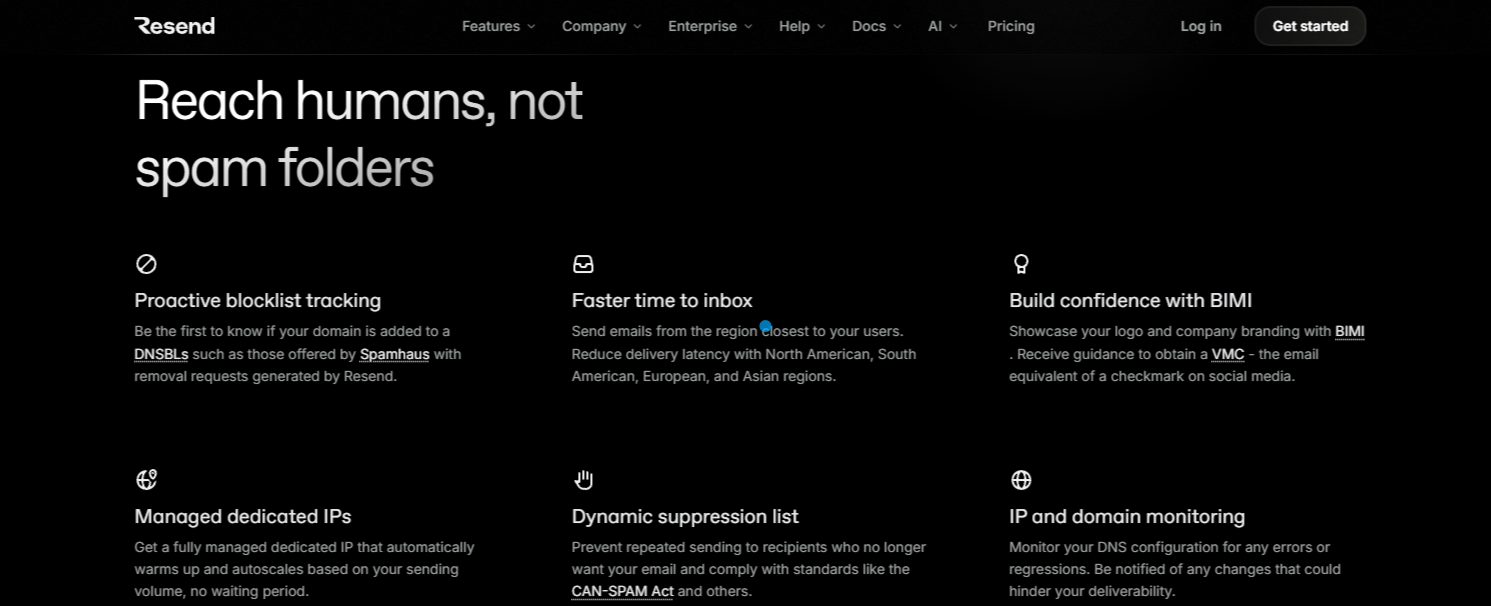
Resend's free plan includes 3,000 emails per month with a daily cap of 100 emails per day. For most appointment-based service businesses, this is more than enough.
Think about it: a salon with 20 clients per day sends roughly 20 confirmations, 20 day-before reminders, and 20 day-of reminders. That is 60 emails a day at most, well within the 100-per-day free limit. The free plan covers the average service business comfortably with room to spare.
If your volume grows, Resend's Pro plan starts at $20 per month for 50,000 emails. But for most salons, spas, and studios, the free tier handles everything they need indefinitely.
How connect your domain to Resend
Resend sends emails using a domain you own. Before you can send or receive emails with Resend, you must have a verified domain associated with your account. Read Resend's documentation here.
How Resend Connects
Connecting Resend to Hacado works the same way as connecting a Google or Outlook calendar. You click to authorize, log in to your Resend account, and confirm the connection. No technical configuration, no codes to copy, no settings to hunt through.
You will need to provide:
Your Resend account (connected via the one-click authorization flow)
A sender email address on a domain you have verified with Resend (e.g.,
booking@yoursalon.com). This domain verification is a one-time step done inside your Resend account before connecting — Resend walks you through it and it typically takes under five minutesAn optional sender name — this is the display name clients see in their inbox, like "Bloom Salon" or "Jamie at Vivid Nail Studio"
The domain verification step is what allows Resend to send on your behalf. It is a standard requirement for any email sending service and ensures that emails genuinely come from your domain rather than being spoofed.
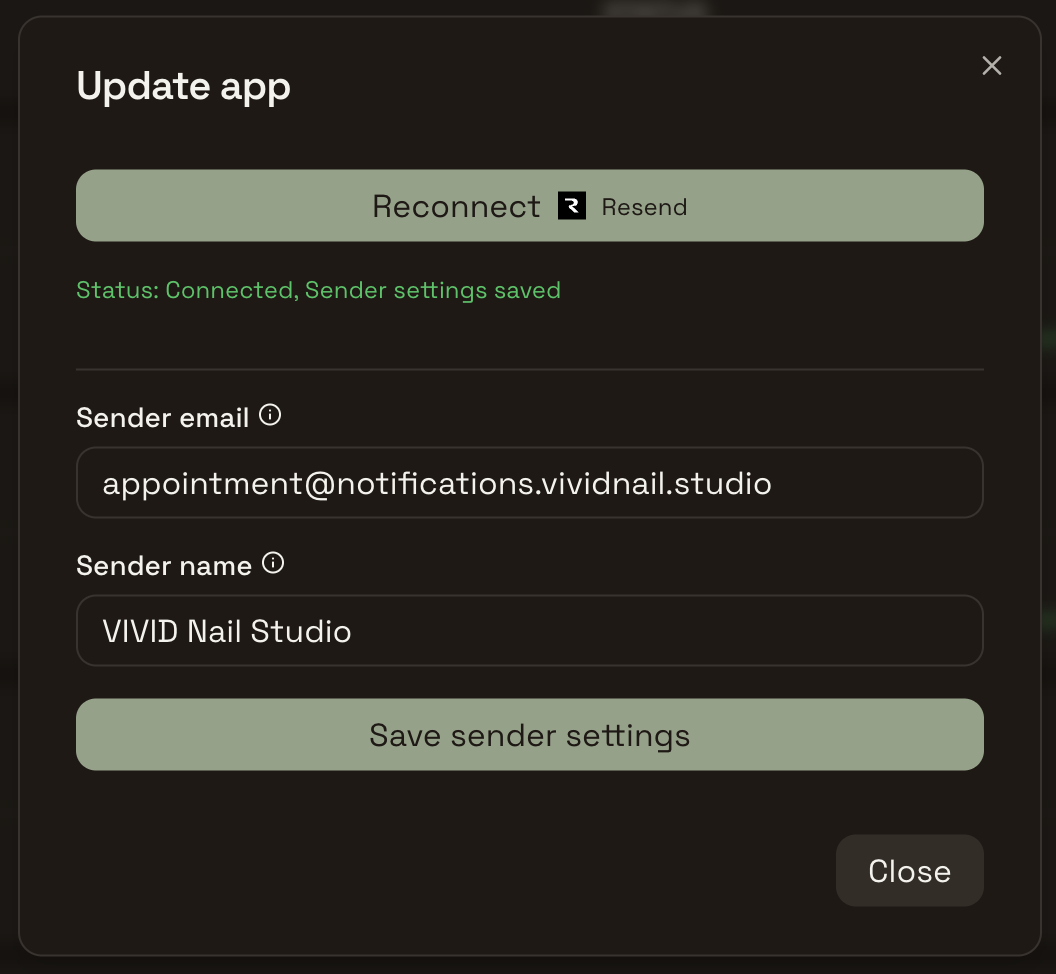

Photo by Brett Jordan on Unsplash
Option 2: SMTP
SMTP (Simple Mail Transfer Protocol) is the standard method that has powered email delivery for decades. If you already have a business email set up through Google Workspace, Microsoft 365, Zoho, Namecheap, or any other email host, you can use that same account to send your Hacado client emails.
This is the right choice if you already pay for a business email service and want to use it for everything, or if you want your Hacado client emails to come from the exact same account you already use for client communication.
SMTP requires a few more settings than Resend, but nothing you would not find in your email provider's documentation or support pages.
You will need to provide:
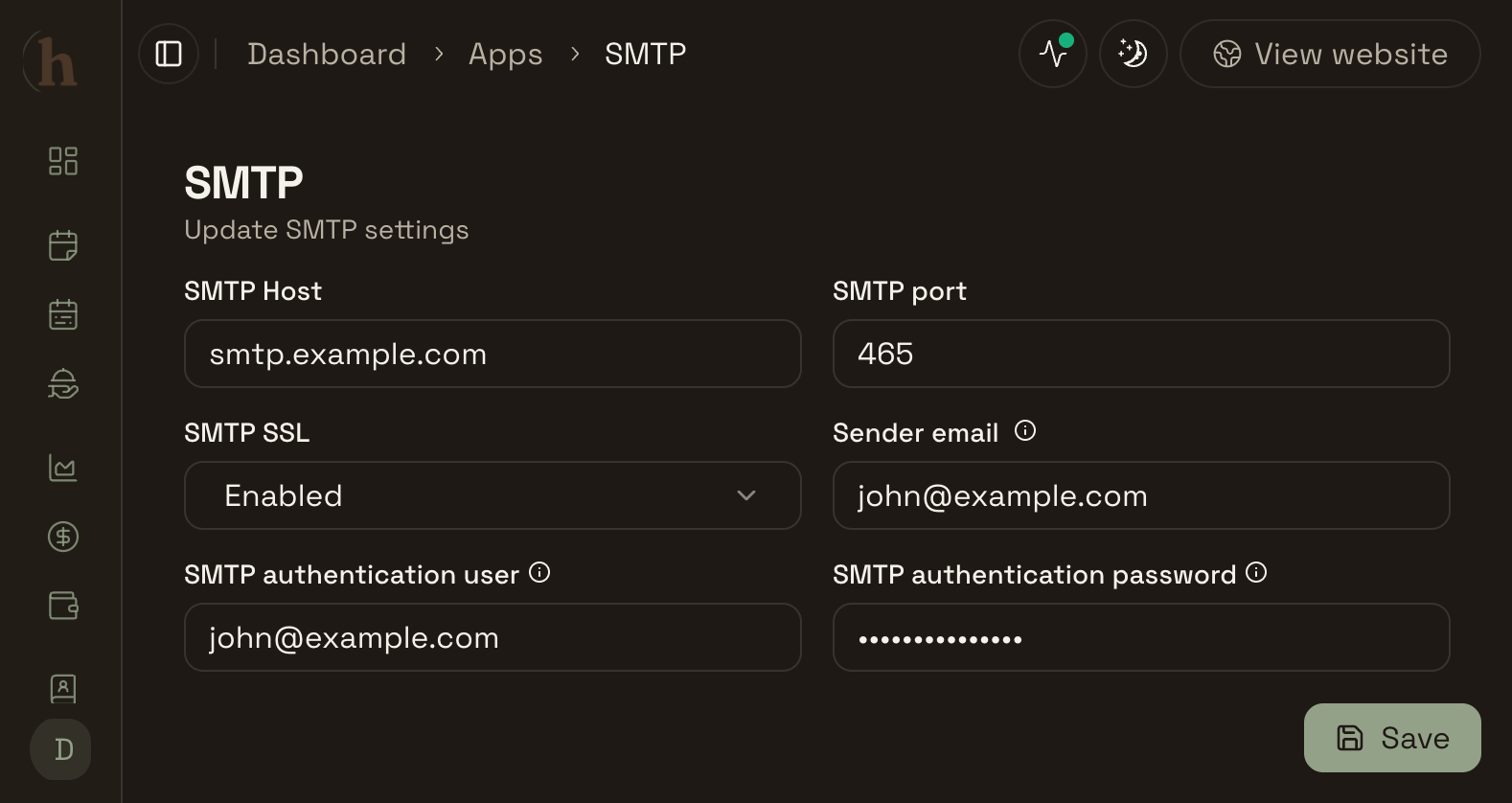
SMTP Host — the outgoing mail server address from your email provider (e.g.,
pixel.mxrouting.net)SMTP Port — typically 465 for SSL or 587 for TLS
SMTP SSL — whether SSL is enabled (almost always yes for port 465)
Sender Email — the address emails will be sent from (e.g.,
booking@yoursalon.com)SMTP Authentication User — usually your full email address
SMTP Authentication Password — your email account password or, if your provider uses them, an app-specific password
If you are not sure where to find these details, search for "[your email provider] SMTP settings" and you will find them quickly. Google Workspace, Microsoft 365, and most email hosts publish these in their help documentation.
How to Install the Email App in Hacado
Both Resend and SMTP are available as apps in the Hacado App Store. Installing either one takes a few minutes.
Step 1: Open the App Store
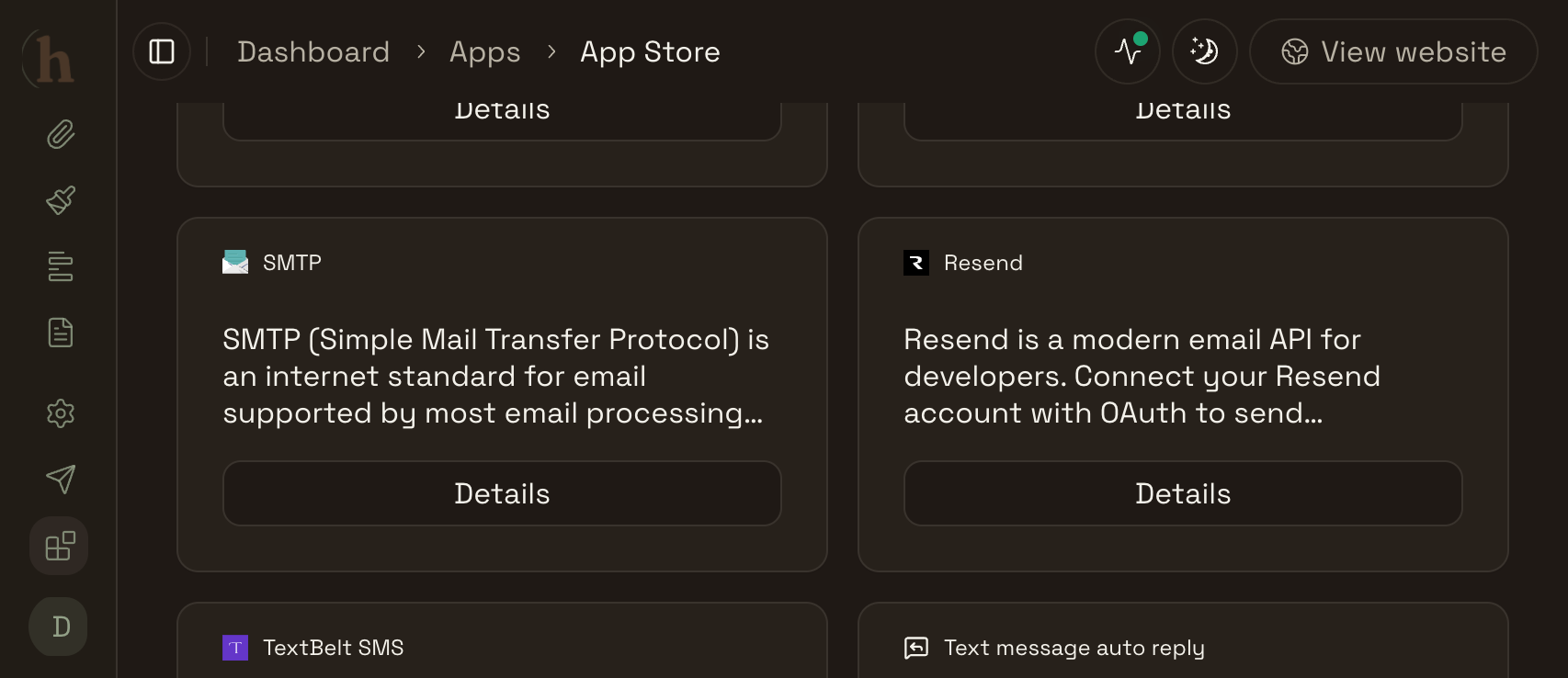
In your Hacado dashboard, go to Apps, then click App Store. Search for Resend or SMTP depending on which method you want to use.
Step 2: Add the App
Click the app and then click Add. Hacado will prompt you to connect your account (for Resend) or enter your SMTP credentials.
Step 3: Set as Default Email Sender
Once the app is installed, Hacado will ask whether you want to set it as your default mail sender right away. If you click yes, your client emails will start going out from your custom address immediately.
If you skip this step or want to change it later, go to Apps → Default → Email Sender and select the app you just installed.
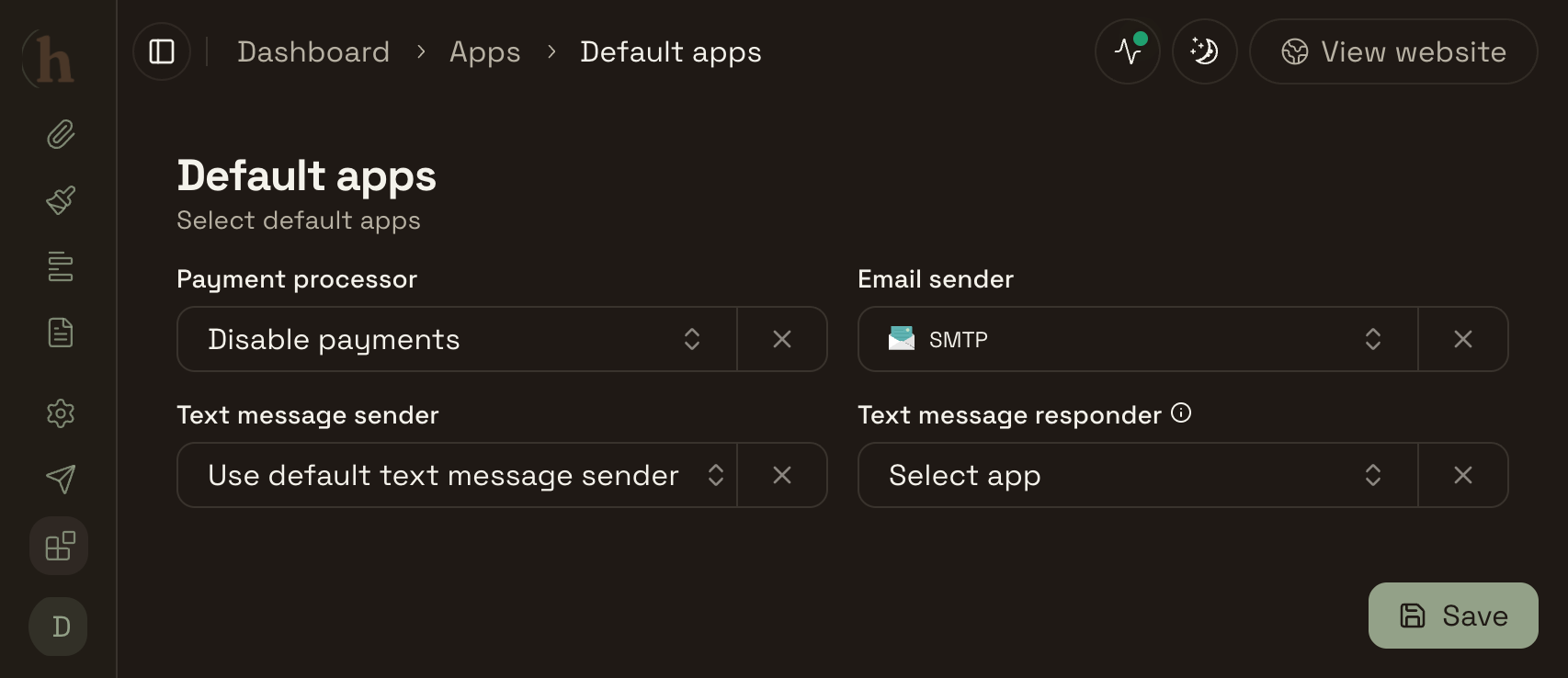
That is the full setup. From this point on, every email your clients receive, confirmations, reminders, cancellation notices, goes out from your domain.
What Stays on Hacado's Own Email System
One important distinction worth being clear about: the Resend and SMTP connection affects emails sent to your clients only.
Emails sent to you as the business owner, account notifications, billing communications, and other platform messages continue to come from Hacado's own mail system. This is intentional. Your internal notifications do not need to come from your own domain, and keeping them separate ensures you always receive them reliably regardless of how your custom sender is configured.
Which Option Is Right for You?
Choose Resend if:
You want the simplest possible setup
You do not already have a business SMTP account
You send fewer than 100 client emails per day (the free tier covers this easily)
You want Resend to handle deliverability and spam reputation on your behalf
Choose SMTP if:
You already pay for Google Workspace, Microsoft 365, or another business email service
You want all client-facing email to come from the exact same account you already use
Your email provider gives you SMTP credentials and you are comfortable entering them
Either way, the result for your clients is the same: a clean, professional confirmation email arriving from your own domain, rather than from a booking platform.
Getting Started
If you are already on Hacado, head to Apps → App Store to find Resend or SMTP and get connected. The whole process takes under ten minutes for Resend and slightly longer for SMTP depending on how quickly you can locate your provider's credentials.
If you are not yet on Hacado, this is one of many features designed to make your booking experience feel completely your own rather than like a generic service you are renting.
Log into Hacado to connect your email sender, or start a free trial to get started.
Questions about connecting Resend or setting up SMTP? Leave a comment below or reach out to our support team and we will walk you through it.
No comments yet. Be the first to comment.
Add comment
hacado
Hacado gives independent beauty & wellness businesses a beautiful booking website without the ugly software.
© 2026 Hacado. All rights reserved.