
Smart scheduling
Set weekly hours, block busy times, and let clients pick a slot that actually works. Waitlist fills cancellations instead of leaving holes in your day. Policies for cancel and reschedule live next to the calendar, not in a DM thread.
A calendar that protects your time
Flexible weekly hours, plus one-off busy blocks
Buffers between visits so you can reset the room
Time zones handled for remote and traveling clients
Waitlist when you are fully booked - and a ping when a matching slot opens
Cancellation and reschedule windows you control
Duplicate-booking checks so people do not stack the same service
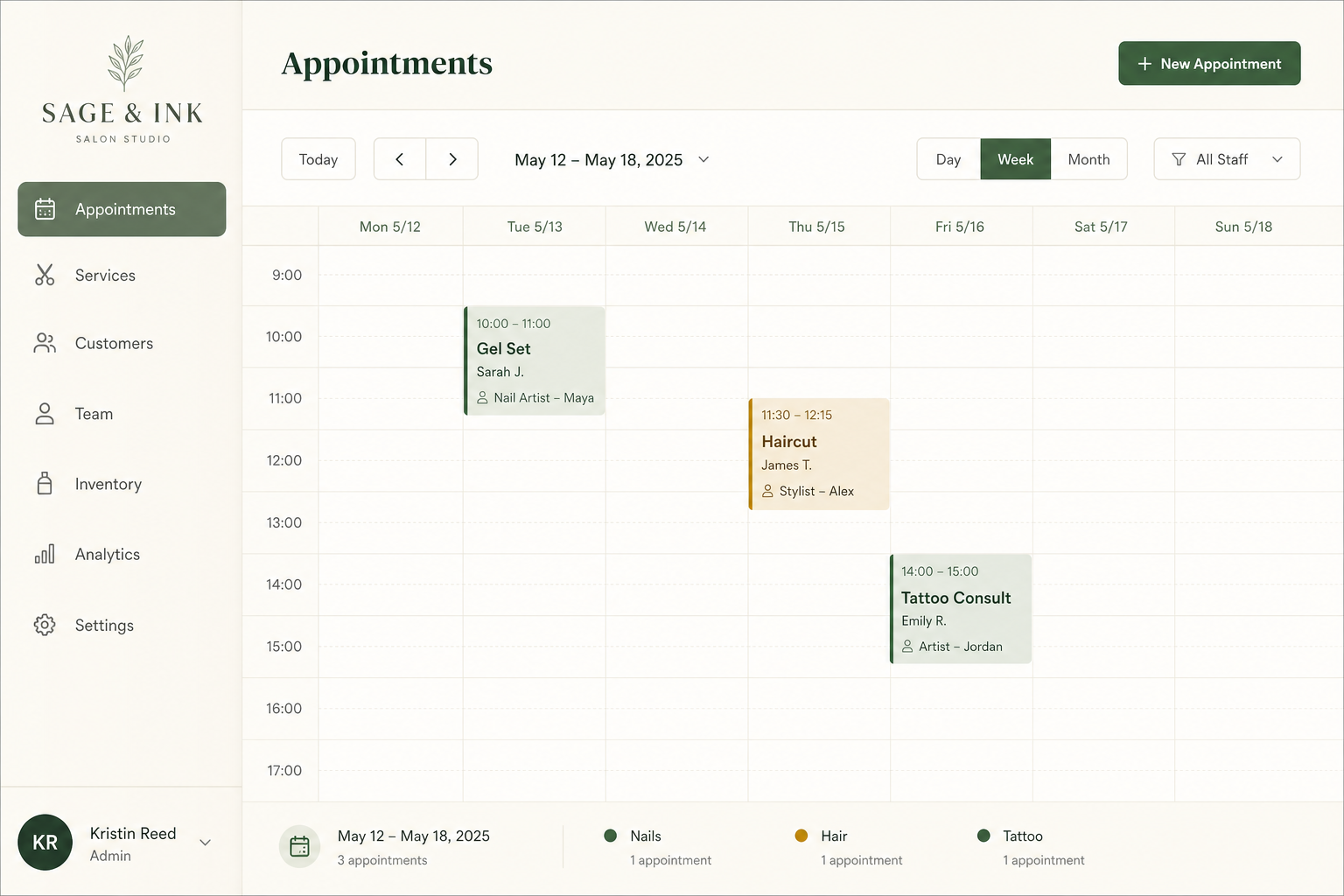


Hours that match how you actually work
Company hours are the default. Each team member can override a week, an evening, or a whole pattern. External calendars (Google, Outlook, CalDAV) and ICS feeds mark time as busy so the public page never offers a slot you already promised to someone else.
Same client, same service - not twice by accident
Turn on a duplicate check per service. Hacado looks for another visit for that person and that service within a window you set (1 to 30 days before or after the slot they picked). You choose what happens: show a clear warning and ask them to confirm, or block the second booking. Write the message yourself - include the existing date if you want. Useful for fills, packages of sessions, and anyone who taps Book twice on the same gel set.
Cancellations should not empty the chair
Set how far in advance a client can cancel or move. You still approve if you do not auto-confirm - pending requests sit on the dashboard until you say yes.
The next person on the list gets the opening
When a visit is cancelled or moved, or you open hours, Hacado offers that window to the oldest matching waitlist request - same specialist, a time they asked for, a duration that still fits. Email, SMS, or both, with a Book this time link (service already filled in) and a way to leave the list. You choose how long they get exclusive first look (up to an hour) before the next person is offered, and a cooldown so the same request is not pinged every few minutes. Waitlist and these notices are on Solo and Studio.
Walk-ins and phone bookings still belong here
Add an appointment by hand from Appointments. It uses the same customer record, the same reminders, and the same payment trail as an online booking. The book is one list, not a paper diary plus an app.
How you’ll use it
Set your hours
Weekly schedule, plus extra busy blocks from Google, Outlook, CalDAV, or an ICS feed.
Share your page
Clients see only what is actually free - including buffers and team calendars.
Stay full
Waitlist offers the hole to the next matching person. Reminders keep the ones who already booked.
FAQ
Yes. Two-way sync with Google Calendar, Outlook, and CalDAV. You can also import busy time from an ICS feed if another product only publishes a subscribe link.
Set how far in advance clients can cancel or reschedule. On Solo, waitlist can email or text the oldest matching request when that time opens, with a book link. You set how long they have before the next person is offered.
No. Leave requests pending if you want to review them first. Confirm, decline, or reschedule from the appointment - see Appointment management for statuses, no-shows, and client self-service.
Yes, unless you turn on duplicate-booking checks on that service. Choose a window of 1 to 30 days, then either warn them and ask to confirm, or block the second visit. You write the message they see.
Yes. Clients pick a time in their zone; your calendar stays in yours. Useful for coaches, tutors, and anyone with traveling clients.
A matching slot: same staff member, a time in the window they asked for, duration that still fits. The message includes when, and a Book this time button that prefills the service. They can leave the waitlist from the same email or by texting a keyword if you turned SMS on.
Free includes the calendar, one service, and 15 appointments per cycle. Waitlist, unlimited services, and unlimited bookings start on Solo.
Yes. Booking tracking on Solo counts both as conversions and splits them by type, plus the step where people abandon the flow.
Open a book that tells the truth
Start on Free. Upgrade when you need waitlist, unlimited services, or payments.
hacado
Hacado gives independent beauty & wellness businesses a beautiful booking website without the ugly software.
© 2026 Hacado. All rights reserved.